Why we built Para Schedule—and the Virginia studio behind it
By Pejman Nikouee, Founder of VAHZOR3 min read
A schedule needs to be useful during the school day.
It should help someone understand where to be, what responsibility comes next, and what has changed. It also needs to work in the format that person can actually use, whether that is a screen or a printed sheet.
Those are the needs Para Schedule was built around.
Para Schedule was designed by VAHZOR, a technology studio led by Pejman Nikouee in Stafford, Virginia. The design brings the studio’s work in applications and practical workflows to a specific task: organizing paraprofessional responsibilities.
Starting with the person using the schedule
An overall staffing plan and an individual’s daily schedule answer different questions.
A team view helps explain how responsibilities fit together. The person carrying out those responsibilities also needs a clear view of their own day.
Para Schedule is designed to make that personal view easier to follow: the current responsibility, what comes next, the location, and the context needed for the transition.
The goal is to help people use the assignments they have been given. Para Schedule does not decide staffing levels or authorize assignments on a school’s behalf.
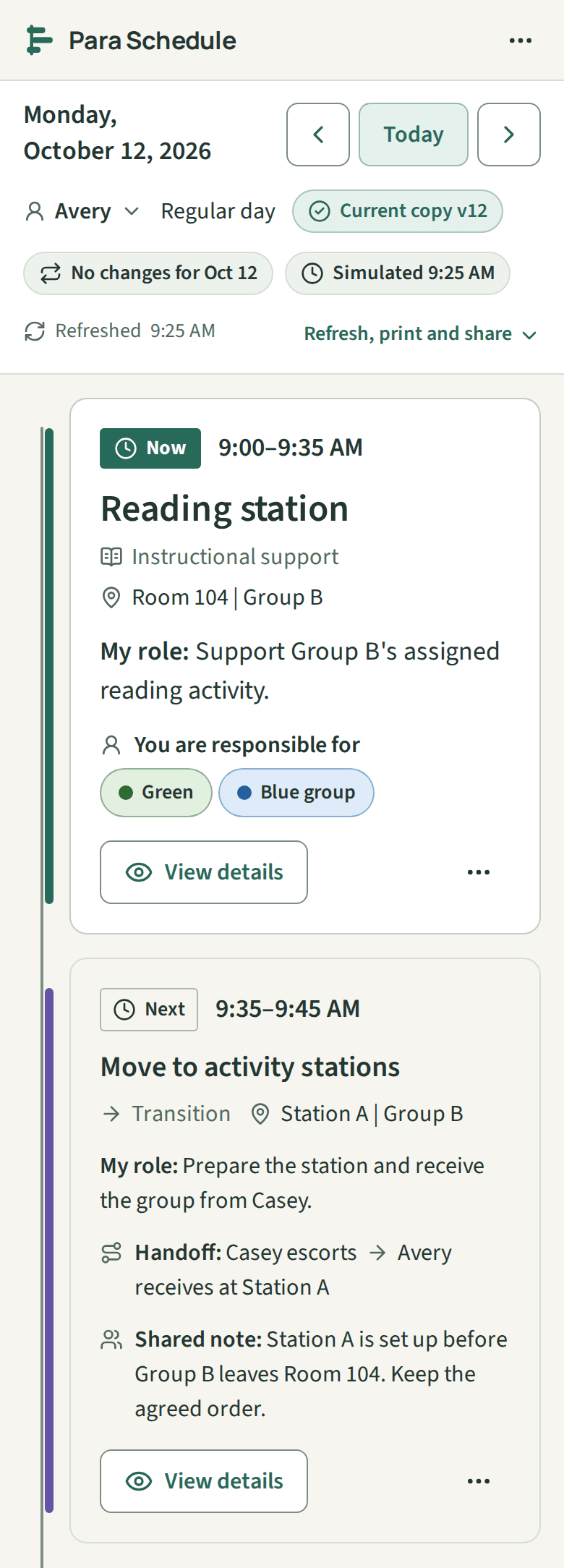
Keeping a daily change separate from the routine
A repeating schedule provides a starting point. An individual date may need something different.
A location might change for one activity. A special event might alter the day. A person might need a different copy for a particular date.
Para Schedule separates the repeating routine from changes that apply to a specific day. That makes it possible to adjust the relevant date while preserving the schedule used for other days.
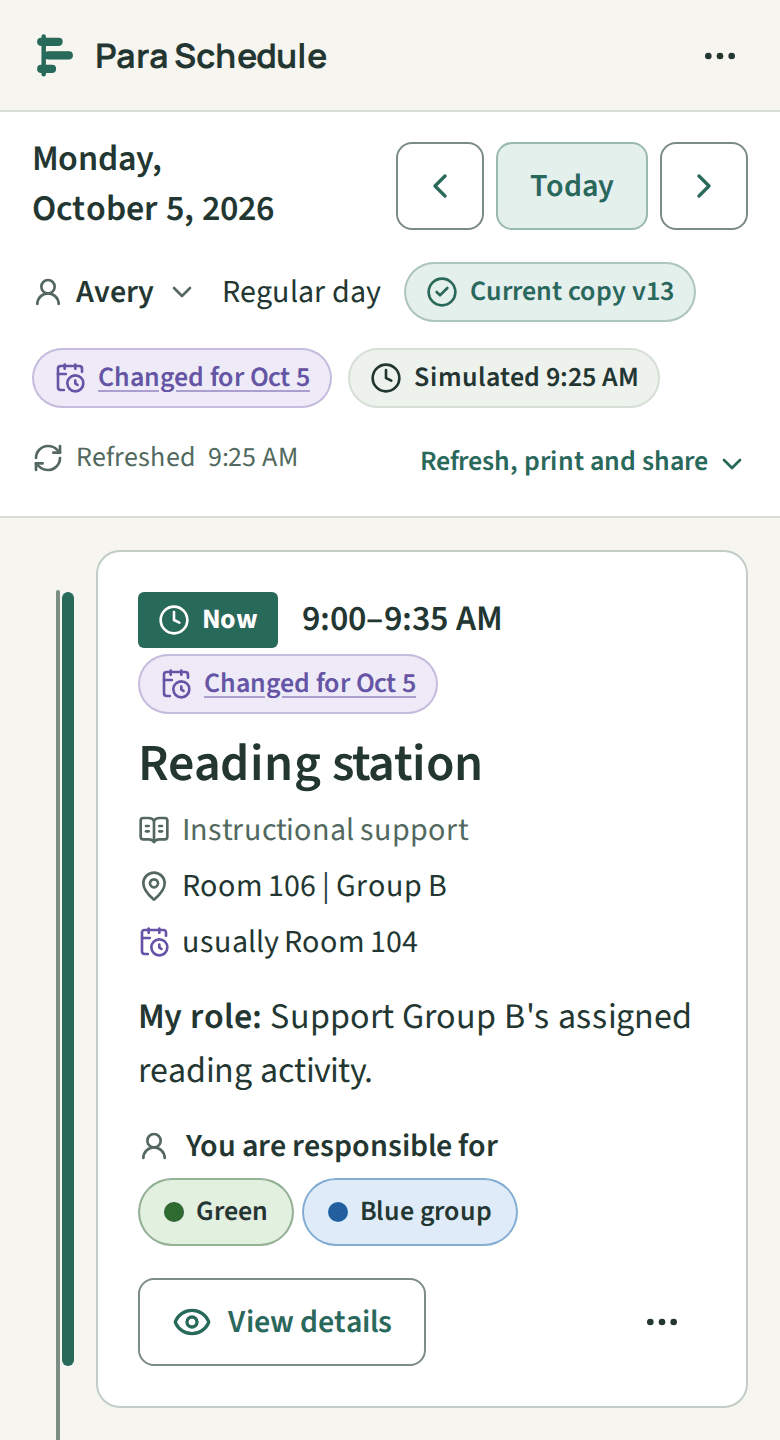
The useful result is straightforward: a clearer record of what applies today.
Treating print as part of the product
A printed schedule is a practical way to carry the day’s responsibilities.
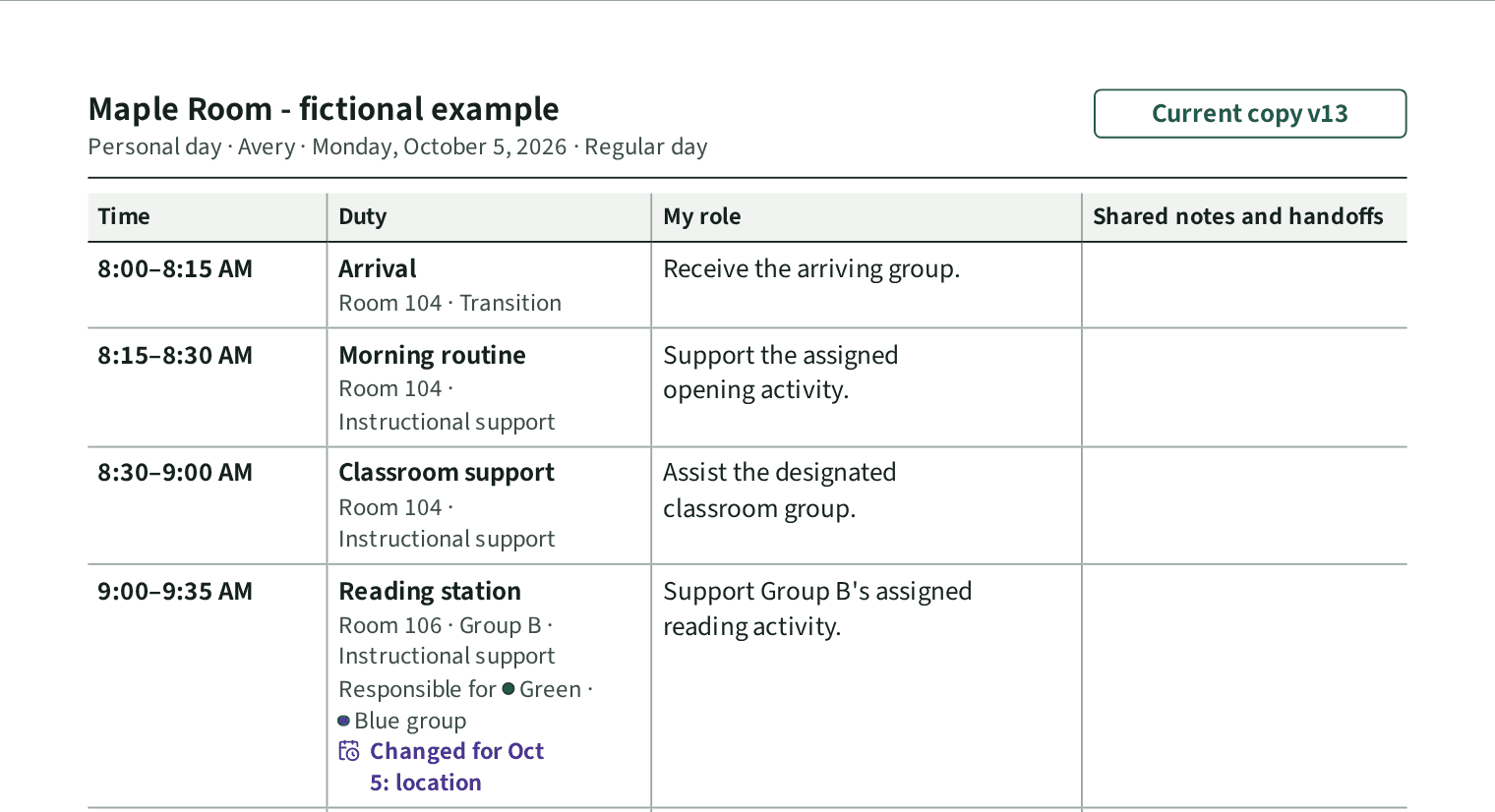
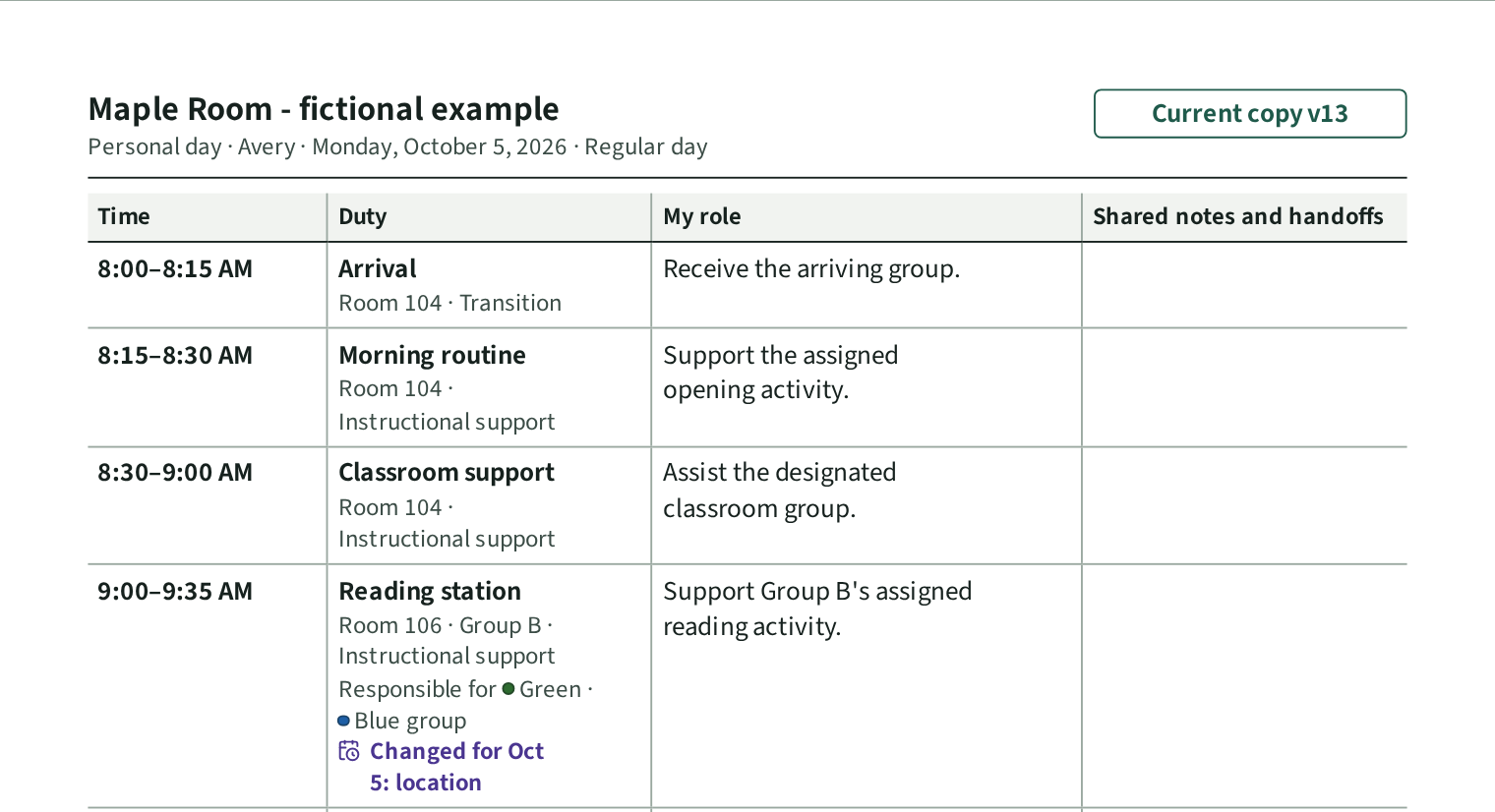
That is why printing is part of Para Schedule’s workflow. The product can produce formats such as a personal daily schedule, a team view, pocket cards, or a substitute handoff.
These outputs are based on the maintained schedule, which reduces the need to rebuild the same information in a separate document.
A printed copy still needs to be replaced when the plan changes. Its date and version information help make that distinction visible.
Connecting planning with daily use
Planning, checking the next responsibility, sharing an appropriate view, and preparing a printed copy are related tasks.
Para Schedule brings those tasks together so people can maintain the underlying schedule and use the version that fits the situation.
Its focus is adult duties and responsibilities. Examples used in the product and this article are fictional; they illustrate the workflow without presenting real school or student information.
The studio behind Para Schedule
VAHZOR builds websites, applications, dashboards, and connected workflows for businesses and organizations.
Para Schedule applies that same approach to a focused product: understand the task, organize the information, and make the result usable by the person doing the work.
The studio is based in Stafford, Virginia, while Para Schedule is designed for paraprofessionals and educators across the United States.
If you are interested in how the website and application were developed, VAHZOR’s Para Schedule case study explains the project in more detail.
Start with one day
You do not need a complicated starting point to explore the product.
Begin with one day’s responsibilities. Review how the day is presented, make a date-specific change, and see whether the printed format fits your needs.
Explore Para Schedule to see how planning, daily views, and printouts work together.
Explore Para Schedule