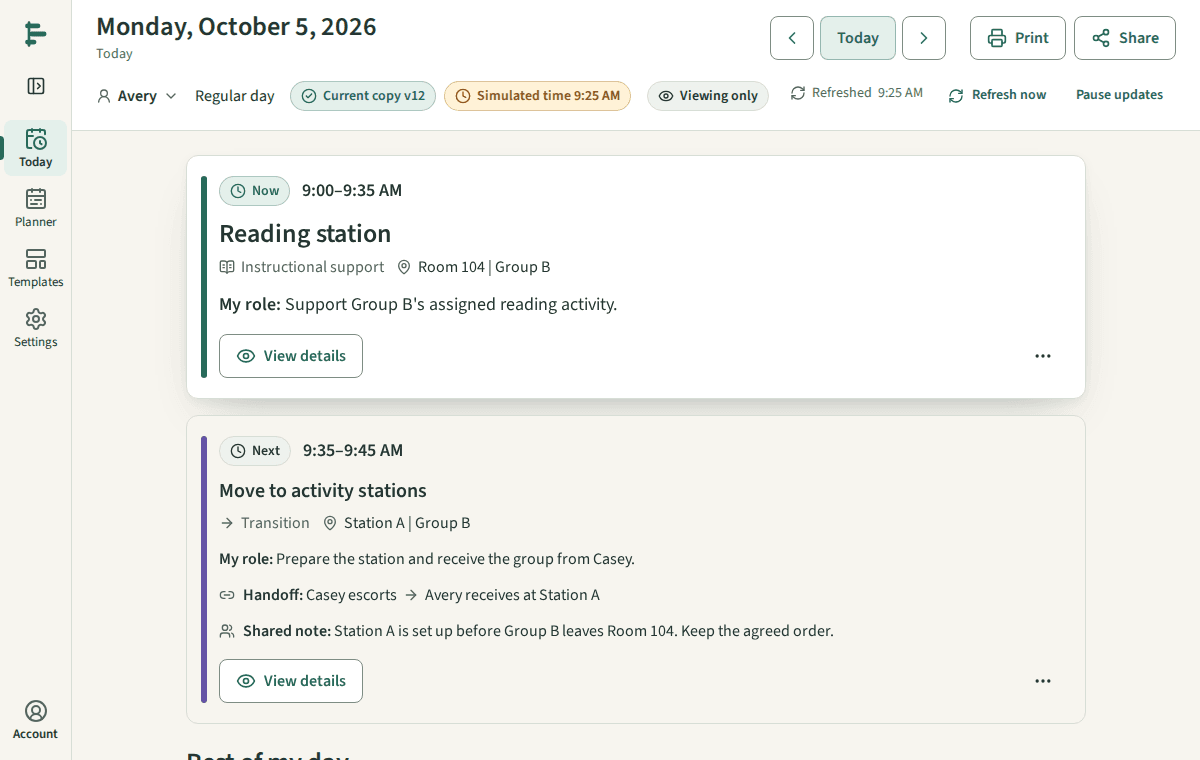
What current, saved, and refreshed mean
The words beside your schedule, and what each one tells you.
Steps
Current copy v12 is the version every view and printout uses now. Each change you make current raises the number, so a copy with a lower number is older.
You can name a copy when you choose Use this version, or later in History, such as Fall schedule. A new name starts counting at v1: Current copy: Fall schedule (v1). The changes you make after it keep the name and count on (v2, v3) until you choose another name.
Saving draft… and Draft saved at 9:26 AM mean your routine edits are stored in the draft. They are not in use until you choose Use this version.
Refreshed 9:25 AM means Today last checked for a newer copy at that time. It checks every few minutes and when you come back to the page.
Connection lost, showing the copy refreshed at 9:25 AM means what you see may be out of date until the connection returns.
Good to know
- Changed for Oct 5 marks a duty that differs from the routine on that date only.
- Printed copies never update. Their version number tells you which copy they are.