Change one date
Record a change for one day without rewriting your regular routine.
Steps
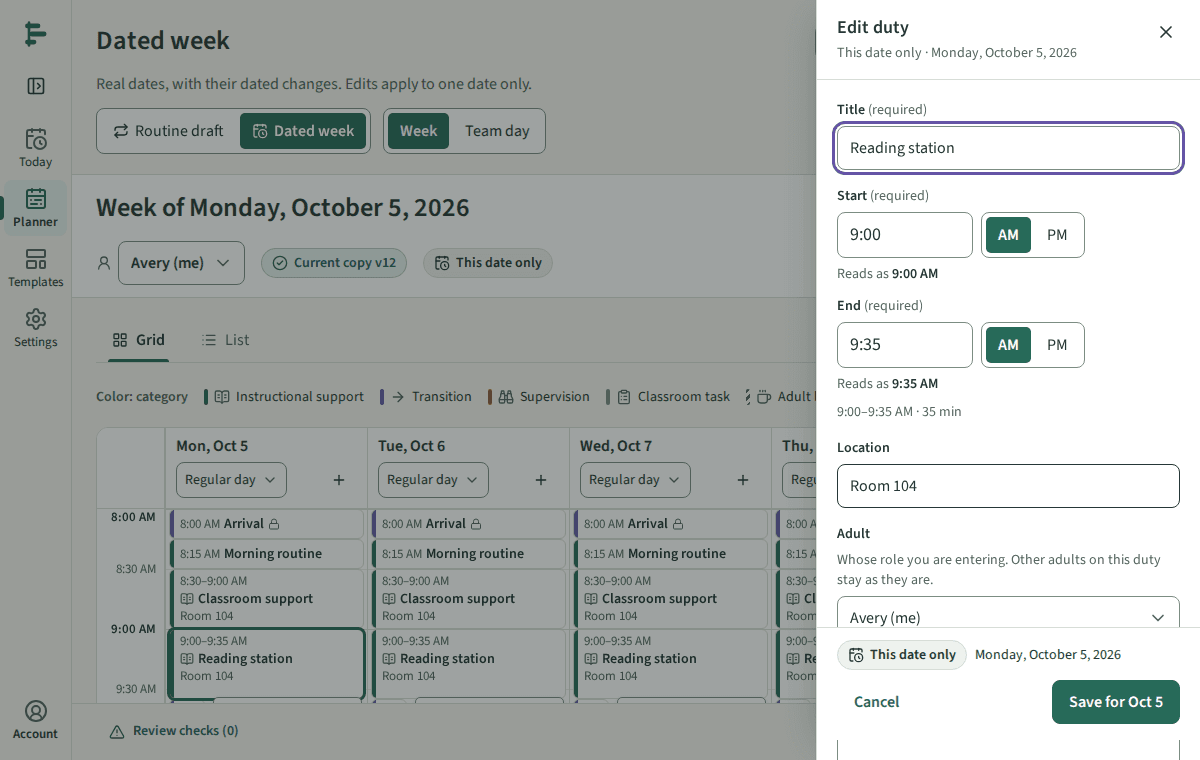
From Today, open the duty and choose Record a change. Or open the Planner, choose Dated week, and select the duty on that date.
Check the scope line above the save button. It reads This date only with the date in words.
Change what is different that day: the times, the place, the role, or anything else on the duty.
Choose Save for the date (for example Save for Oct 5). If the change raises a check, review it before saving.
Good to know
- That date gets a new current copy with a higher version number. The routine and every other date stay as they were.
- To make the change permanent, choose Apply to routine from this date. It goes into your routine draft for review; nothing becomes routine before you use that version.