Change your regular routine
Edit the pattern that repeats every week, and choose when the new version starts.
Steps
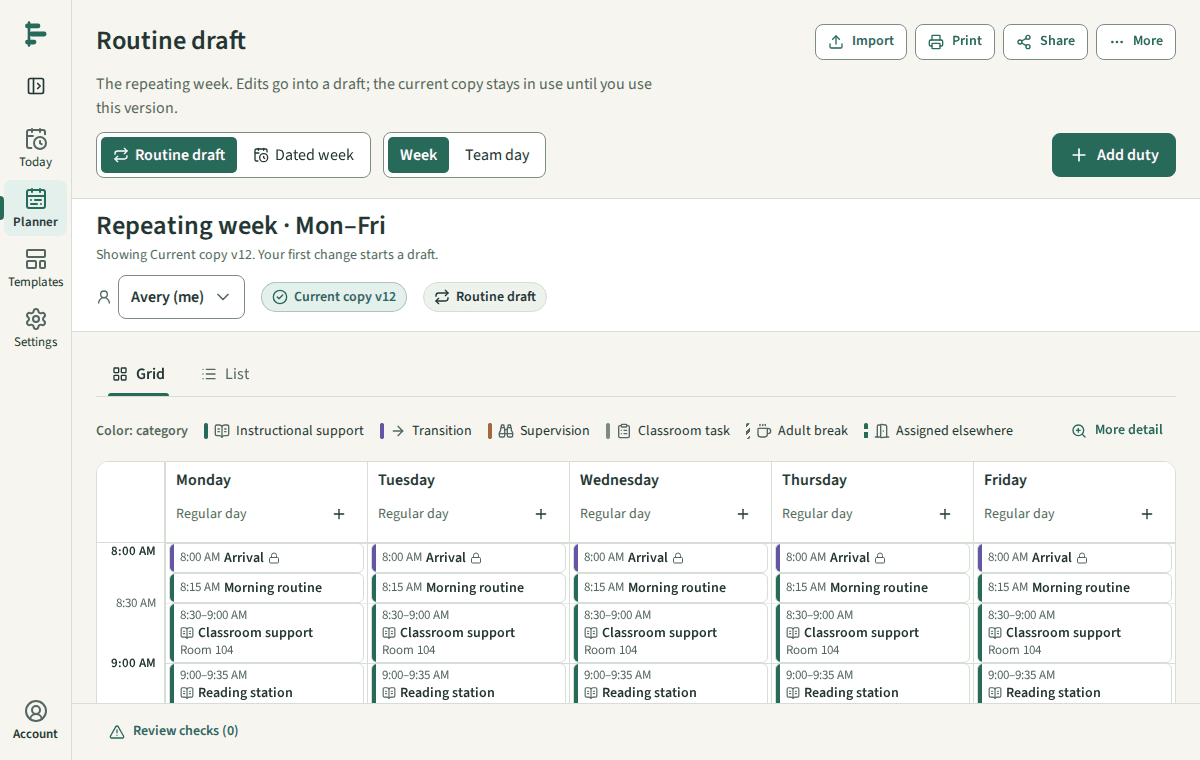
Open the Planner and choose Routine draft. Edits here change the repeating pattern, not one date.
Select a duty to edit it, or choose Add duty. Save to draft keeps your change in the draft; Today does not change yet.
When the draft is ready, choose Use this version. The review shows what changes, the date it starts, and any checks to look at.
Confirm to make it your current copy from that date.
Good to know
- Copies from before the start date stay as they were.
- Dates you changed on their own keep those changes. The review lists any the new version affects.