Plan adult support around class periods
A period-based para schedule ties each assignment to a named class period with its real bell times, so the period name and the minutes always agree. This template follows one adult through seven periods, lunch, and a passing-period escort, and adds an assembly-day bell schedule.
It helps a para in a middle or high school whose assignments follow the bell, often in a different room every period.
The example day
Fictional example dutiesA regular bell-schedule day as the template puts it in your draft. Choose a duty to see its period.
The day's shape
Monday, every duty in order
- 7:45–7:50 AMNo duty entered for this time
- 8:55–8:59 AMNo duty entered for this time
- 10:43–10:47 AMNo duty entered for this time
- 11:37–11:41 AMNo duty entered for this time
- 12:11–12:15 PMNo duty entered for this time
- 1:05–1:09 PMNo duty entered for this time
- 1:59–2:03 PMNo duty entered for this time
- 3:08–3:10 PMNo duty entered for this time
Named periods with real times.
The regular bell schedule and the assembly day side by side. The assembly shortens the periods around it, and the same assignments follow.
| Period | Regular bell schedule | Assembly day | Example duty |
|---|---|---|---|
| Period 1 | 8:05–8:55 AM | 8:05–8:50 AM | English 9 supportRoom 210 |
| Period 2 | 8:59–9:49 AM | 8:54–9:39 AM | Math 8 supportRoom 118 |
| Period 3 | 9:53–10:43 AM | 9:43–10:28 AM | Planning and materialsRoom 104 |
| Assembly | Not on this day | 10:32–11:07 AM | Assembly supervisionAuditorium |
| Period 4 | 10:47–11:37 AM | 11:11–11:56 AM | Science lab supportRoom 305 |
| Lunch | 11:41 AM–12:11 PM | 12:00–12:30 PM | My lunch breakStaff room |
| Period 5 | 12:15–1:05 PM | 12:34–1:19 PM | Study hall supervisionLibrary |
| Period 6 | 1:09–1:59 PM | 1:23–2:08 PM | Inclusion supportRoom 214 |
| Period 7 | 2:03–2:53 PM | 2:12–2:53 PM | Art class supportArt room |
Passing time stays visible too. The passing-period escort runs 9:49–9:53 AM on a regular day and 9:39–9:43 AM on an assembly day, in Hall C.
The period names are labels beside the minutes. The day, the checks, and the printout all run on the times.
What to enter
- Period
- The period's name as your school says it. It sits beside the times as a label.
- Time
- Each period's exact start and end, so the passing time between periods stays visible.
- Location
- The room for that period: Room 210, Room 118, the library.
- Duty
- The class or duty: English 9 support, Study hall supervision.
- Adult role
- Your job in that period, such as checking warm-up problems or signing passes.
How to use it
- Copy your school's bell schedule: each period's name with its exact start and end.
- Choose Use this template and set each duty's times to your bell schedule; the Period field keeps the name beside them.
- Enter your room and role for each period, plus any passing-period escort you have.
- For assembly days, save the assembly bell schedule as a reusable alternative day on Plus, or record a single date with This date only on any plan.
- Print pocket cards listing period, room, and role, and print the assembly day separately when it is used.
What stays the same, and what can change
What stays the same
- The regular bell schedule applies on every workday.
- Checks work in minutes, not period names, so an overlap is found from the times you entered.
What can change
- An assembly day uses its own bell schedule on the dates you apply it to (a reusable alternative day, part of Plus).
- A one-time change on a single date can be recorded with This date only on any plan.
A blank version to print
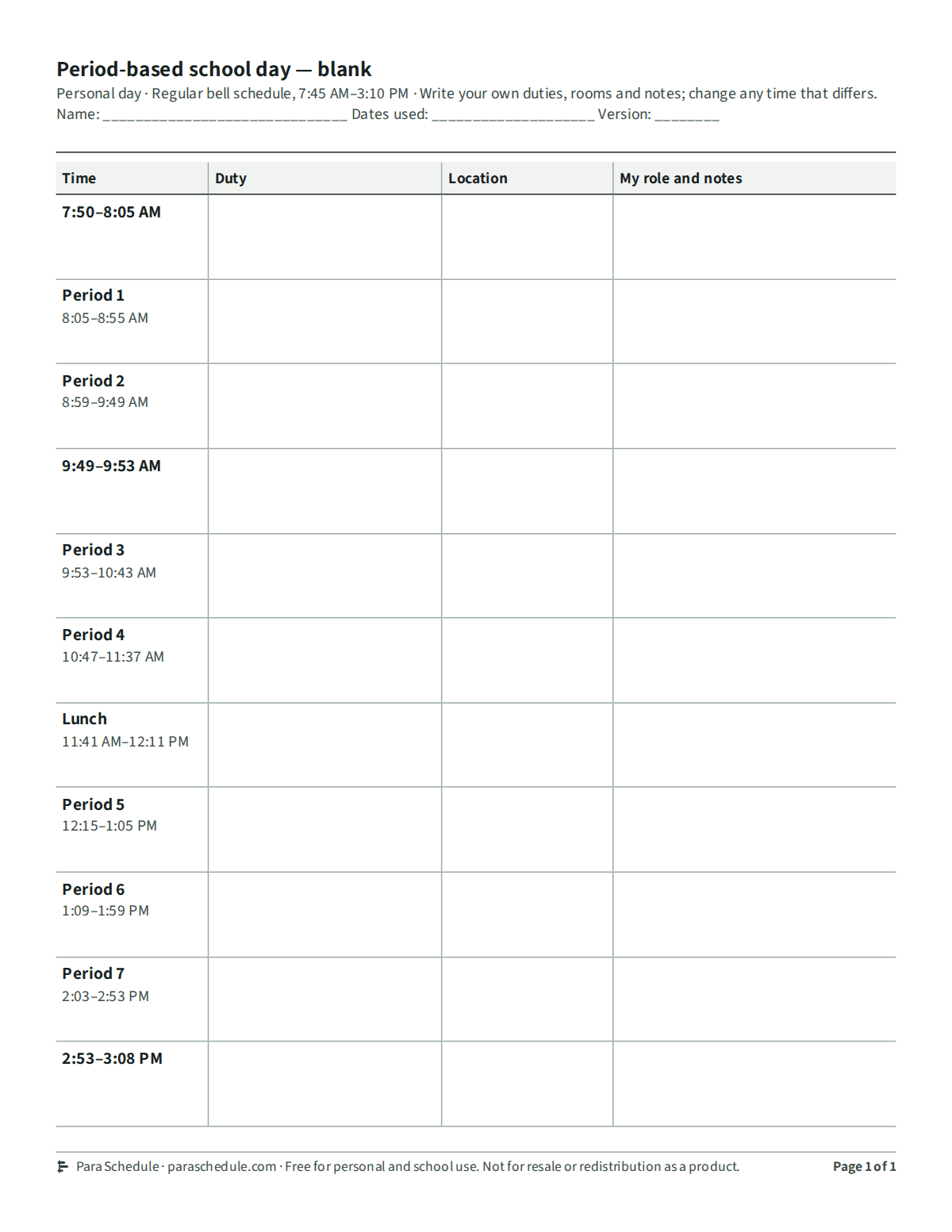
The period-based school day layout with its regular day's times and every duty left empty, to fill in by hand. No account or email needed.
Blank version (PDF, letter size)Free for personal and school use. Not for resale or redistribution as a product.
Scope and plan limits
On Free, the regular day goes into your draft with its example duties. The assembly day is left out, and the app tells you so when it happens.
Saving the assembly day as a reusable alternative day is part of Para Schedule Plus, with up to 20 reusable alternative days.
This page, its example, and the blank version need no account.
Practical questions
Why enter times if I already have period names?
Because the day runs on minutes. Times let the schedule show what is now and next, find overlaps, and print in the right order; the period name stays beside them as a label.
What about block schedules or A and B days?
Enter each distinct day as its own bell schedule. The regular day works on every plan; saving more reusable days, such as an A day and a B day, is part of Plus.
Can I show passing time?
Yes. Passing time is the gap between periods. Leave it empty and it reads No duty entered, or enter a passing-period escort like the one in this template.
Related help
- Floating para schedule templateTrack room changes and duties across classrooms. Use a floating para schedule example with exact times and clear transition details.
- Weekly para schedule templatePlan different assignments across weekdays without rebuilding a spreadsheet. Preview a weekly para schedule and customize your own routine.
- How to make a para scheduleA practical walkthrough for building a paraprofessional schedule: list the day's blocks, name the adult's role and location in each, mark breaks and handoffs, and keep one current copy.